
An interactive text layer can give visitors a clear next step: read the artist's story or open a related page. In this exercise you will create one readable text element with a website action and an optional visual hotspot.
You need a saved artwork and the real destination URL you want to use. Check that the destination works on a phone before adding it to your AR scene.
1. Add a readable text layer
Use the text options in the editor to add a short title, paragraph or card. Write a label that explains the action, such as “Read the artist's story.” Keep it brief enough to read while holding a phone.
Position the text near the relevant part of the artwork without covering its main subject. Adjust size and contrast in Properties. Review the text at a realistic viewing distance, not only while zoomed in on the editor canvas.
2. Configure the tap action
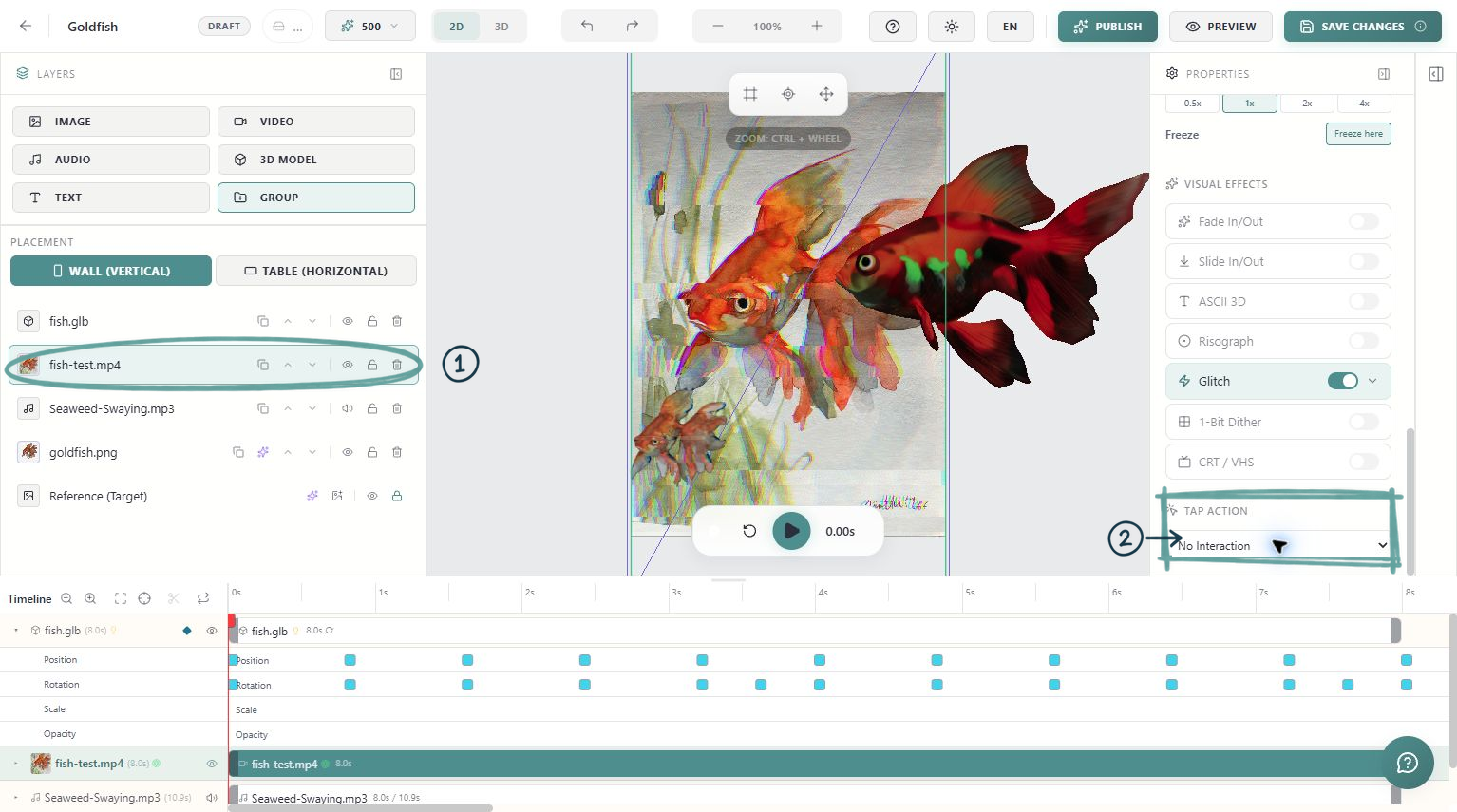
Select the text layer and find Tap Action in Properties. Choose Open a Website and enter the destination. The URL input displays an https:// prefix, so check the resulting address carefully and avoid adding the protocol twice.
Choose the new-tab option when that suits the visitor journey. Opening another page can interrupt attention to the AR scene, so make the label's purpose explicit. Use the destination you actually intend to show; do not leave an example address in the saved artwork.
3. Add a hotspot only if it helps
The Hotspot switch adds a visible marker to draw attention to a text element. Adjust its colour, size and position so it remains associated with the label and does not obscure the artwork.
The marker and the tap action have different roles. A visible hotspot is an invitation to interact; you still need to configure the action you want the visitor to take. Keep one clear interaction for this first exercise.
4. Check its active time range
Place the text on the timeline when it will be useful. A link to further reading may work best after a short introductory sequence. Give visitors enough time to read and tap it.
Preview from the beginning and check that another layer does not hide the label. Keep the language direct and avoid a tiny target surrounded by other moving elements.
5. Test in the public viewer
Save and publish or republish. Open the public experience on a phone, start the scene and tap the actual text or card. Confirm that the correct page opens and that the page is readable on mobile.
Return to the viewer and check how the experience resumes. Do not count an editor selection click as proof that the visitor's tap action works.
Before sharing
Check the exact URL, the label, text contrast, active duration and tap behaviour. If nothing opens, confirm that an action is selected, the URL is present and the text is visible at that moment. Once the first interaction works, use the same approach sparingly for other useful destinations.