An animation clip is a named or grouped sequence of animated property changes that can be played over a defined duration.
A reusable piece of movement
A figure might contain separate clips for an idle pose, a wave and a turn. Each clip can animate several properties or joints together. A clip is not the same as a video: it can store changing 3D values that are rendered from the current viewpoint. A GLB may contain geometry without animation, or it may contain one or several clips.
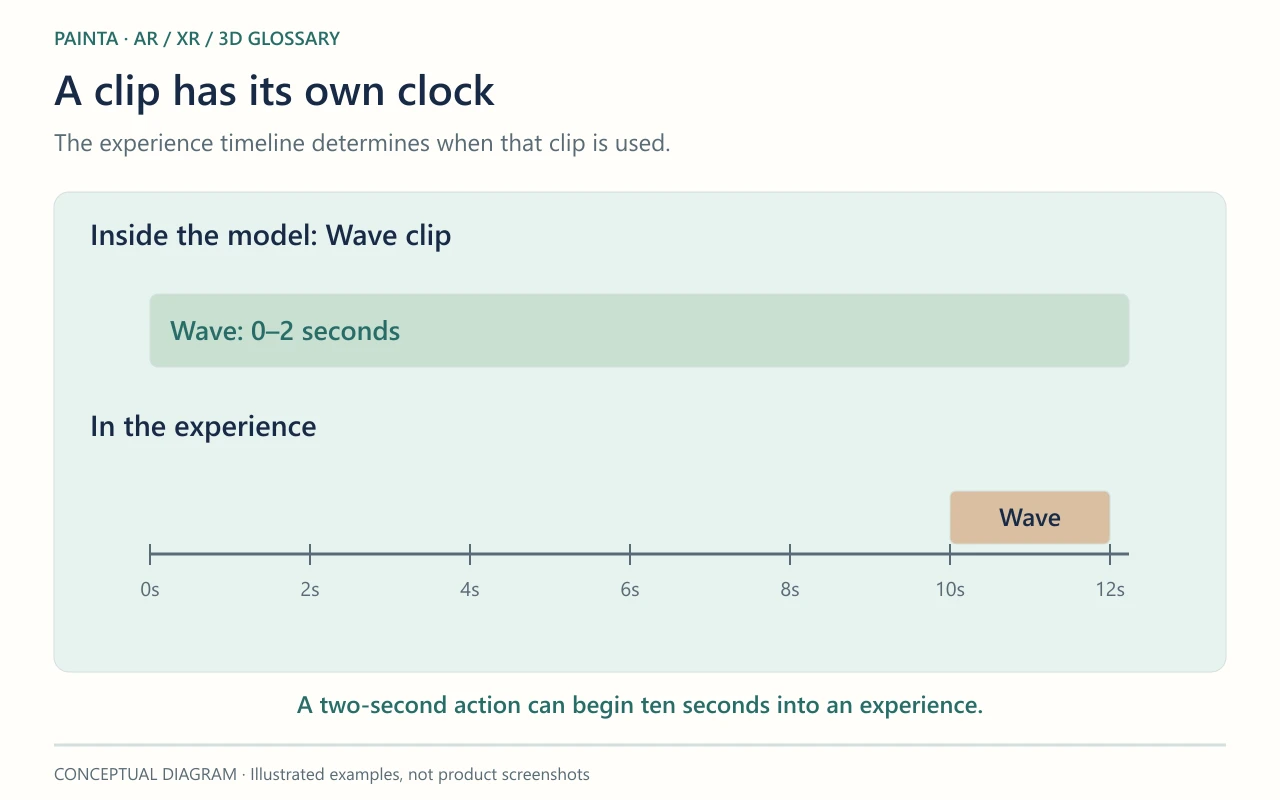
Clip time and experience time differ
A two-second wave can begin ten seconds into an exhibition experience. The wave’s internal time and its position in the wider timeline answer different questions. Repeating, trimming, blending and selecting clips depend on the player. The presence of multiple clips in a file does not prove that every viewer exposes controls for them.
A reliable handoff for Painta
Name exported clips clearly and test which motion the intended Painta viewer actually plays. Check whether the first pose is correct, whether a loop joins cleanly and whether the final pose should hold or reset. If the source uses constraints, drivers or procedural animation, confirm that the export contains supported animation data rather than only the rig controls used to create it.