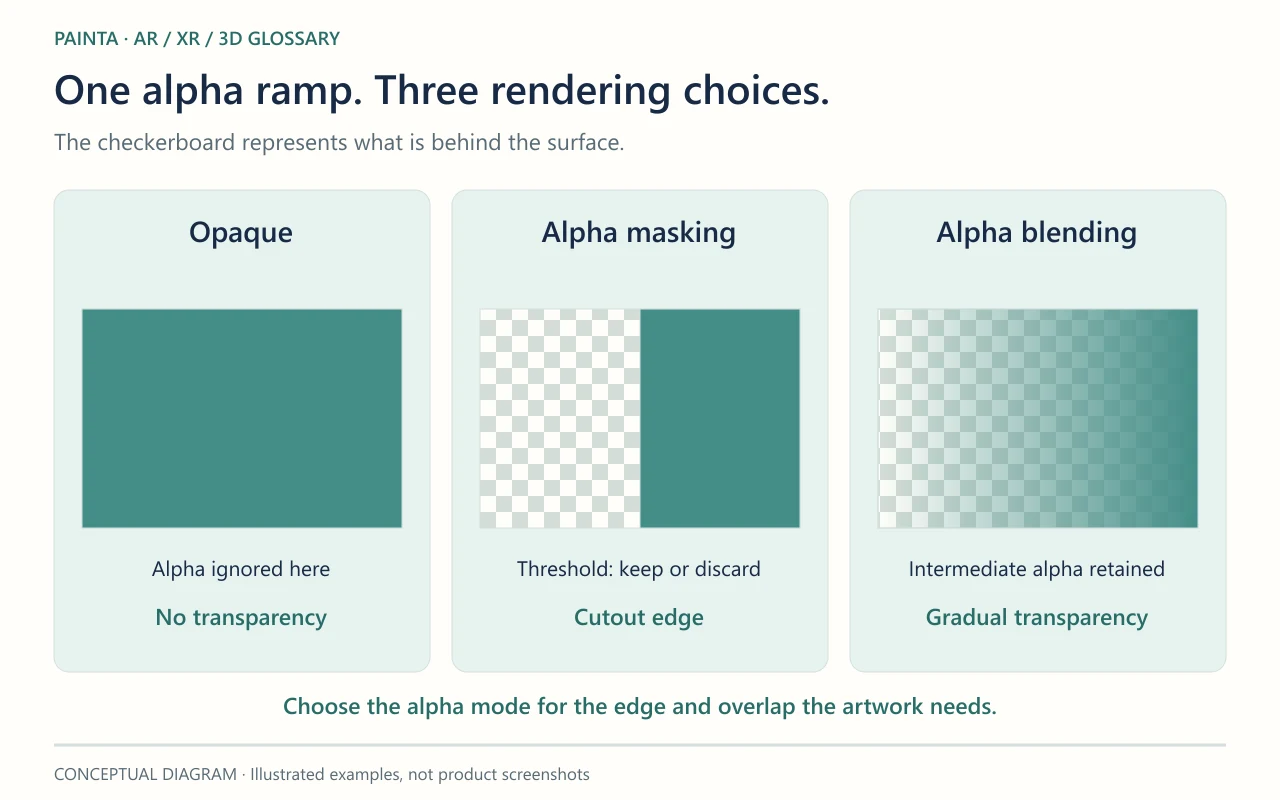
Alpha blending combines a surface’s colour with the colour already behind it, using alpha to control their contributions.
Useful when the middle values matter
A soft shadow, a fading detail or a translucent veil needs more than a simple visible-or-hidden decision. Alpha blending allows partial coverage. An alpha channel can store the values, but the material and renderer must use them appropriately. A transparent PNG alone does not decide how every 3D viewer will draw its surface.
Overlapping transparency needs an order
Ordinary alpha blending depends on which surface is drawn first. Many real-time renderers draw opaque objects first and sort transparent objects from back to front. Intersecting transparent geometry and triangles inside one mesh can still produce errors. Disabling depth writes may suit some overlays, but is not a universal repair for all transparency problems.
Test the edge against more than one background
For a figure lifted from a painting, inspect the hair and soft edges over both light and dark areas. A dark fringe can involve the texture’s edge colours, alpha handling or material settings; it does not prove that the background removal failed. Move around the composition and test overlapping details. If the element needs only fully visible and fully hidden areas, compare alpha masking before accepting a more complex blended setup.