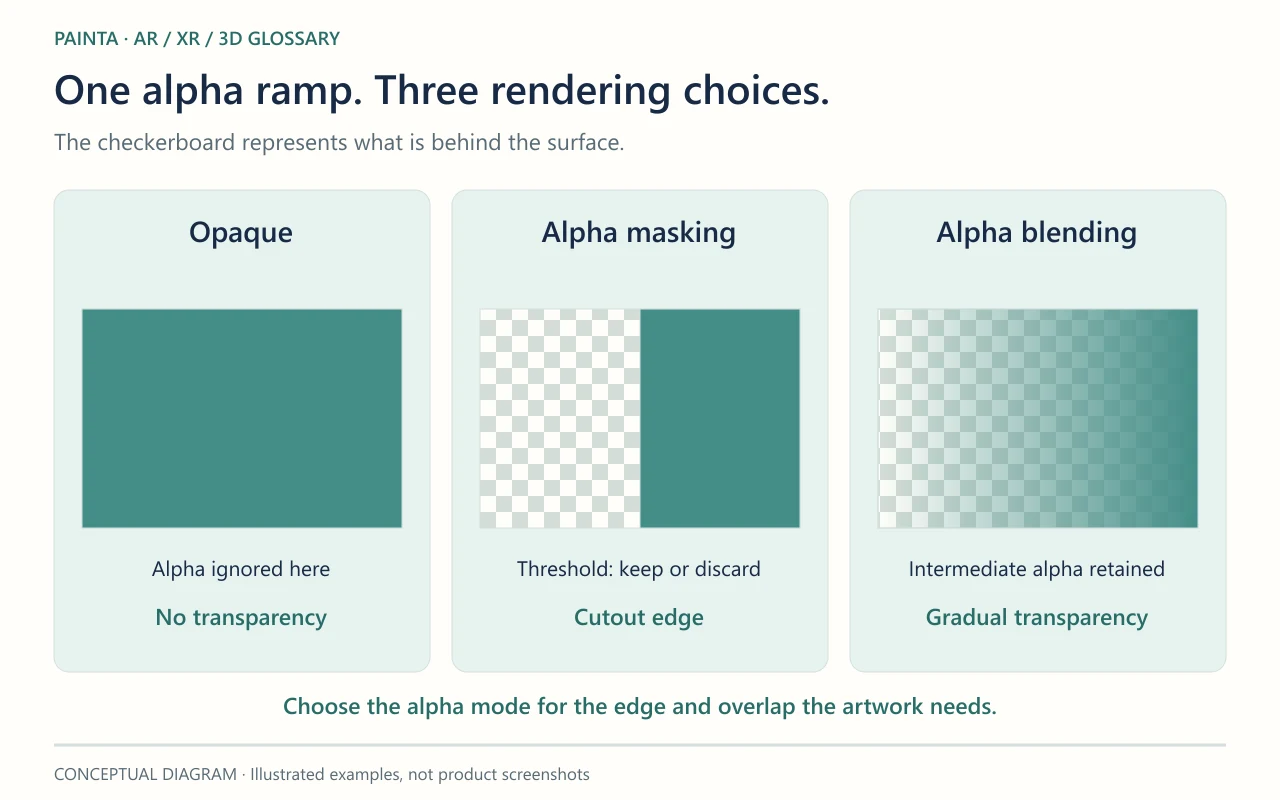
Alpha masking compares alpha with a threshold, discarding samples below it and keeping those that pass.
A cutout rather than a gradual fade
A leaf texture may contain a visible leaf surrounded by empty space. Alpha masking can discard the empty part while retaining the leaf. You may see this called alpha testing, alpha clipping or cutout rendering. In the basic threshold model, it does not preserve all the intermediate transparency levels that alpha blending uses.
Where the threshold becomes visible
Raising the cutoff removes more of a soft edge; lowering it keeps more. Fine hair, lace and thin stems can break up if the cutoff is too aggressive. Antialiasing and specialised coverage techniques can soften the result, but do not make a simple alpha mask equivalent to translucent glass. Choose the method for the intended edge, not just for the file extension.
A practical comparison for a painted detail
For a crisp decorative motif, compare a masked version with a blended version at the distance a visitor will view it. Orbit the model and check the outline against the painting. Masking can avoid many ordinary transparency-sorting issues, but it is a poor substitute when the storytelling requires a gradual fade or a gauzy surface. Keep the original alpha texture so the threshold remains an export choice, not a destructive image edit.