WebGPU is a web API for graphics rendering and general-purpose computation on supported GPUs, giving applications explicit tools for organising GPU resources and work.
Drawing images and processing data
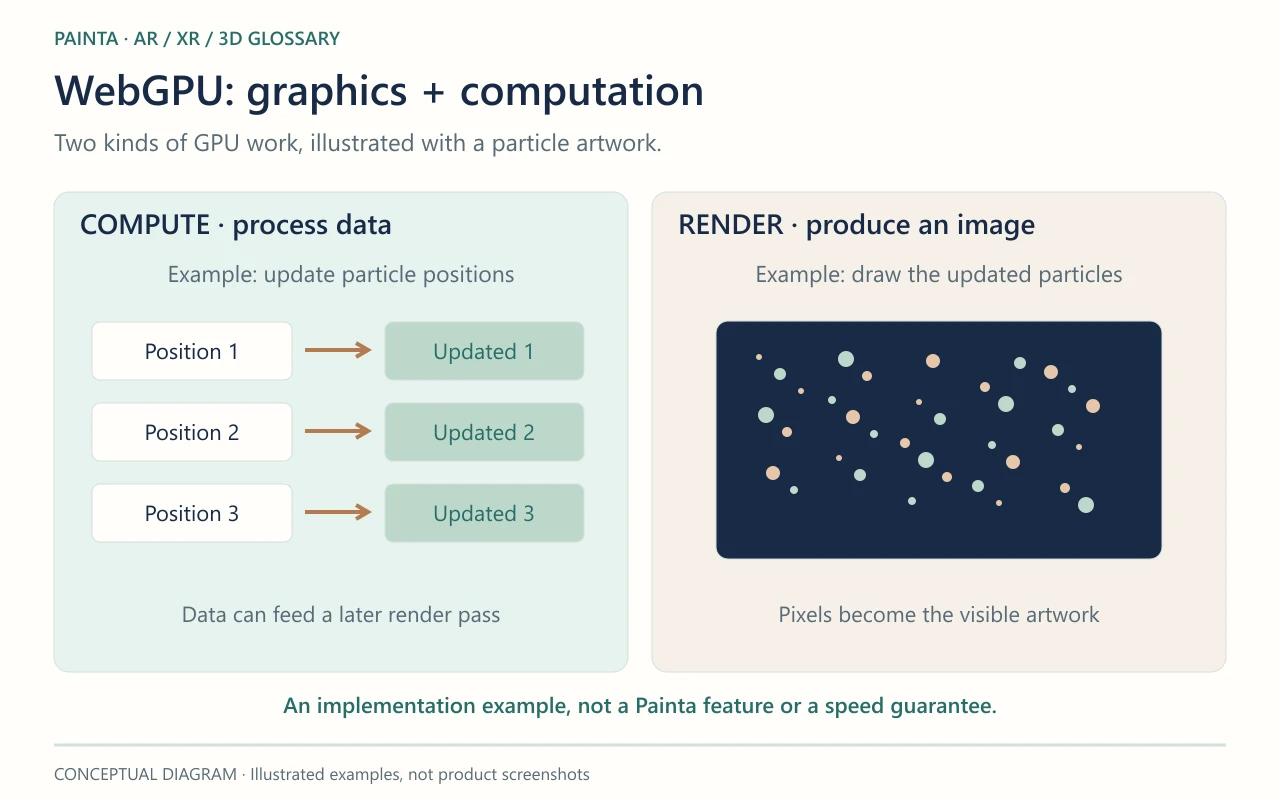
A graphics processor can do more than draw triangles. WebGPU provides rendering pipelines for producing images and compute pipelines for processing data in parallel. Imagine an experimental artwork with many moving particles: a developer might calculate particle positions in a compute pass, then draw them in a render pass. The diagram illustrates those two roles. It is an example of what an implementation could do, not a feature demonstration from Painta.
How it relates to WebGL
WebGL and WebGPU are distinct APIs with different programming models. The application or rendering library must support the API it uses. Moving an existing project to WebGPU therefore depends on its software, rather than on the artwork file alone. Performance gains depend on the workload and implementation. Textures, geometry and memory still need careful management, so a new graphics API does not make every scene faster automatically.
A graphics capability is not an XR capability
WebGPU does not itself recognise artwork or provide world tracking. Immersive presentation and device tracking involve other APIs and platform support. An ordinary browser canvas using WebGPU is not proof that the same application can run as an immersive WebXR experience. Support varies with the browser, operating system and graphics hardware; applications need to detect the available capabilities and provide a suitable fallback where required.
Choosing technology for an exhibition
WebGPU is useful vocabulary when discussing ambitious interactive graphics, simulations or browser-based processing with a creative developer. Start with the desired encounter: a responsive particle sculpture, for example, rather than a requirement to use a particular API. For an exhibition using Painta, build around the features available in its editor and published viewer. Ask for a demonstration on the intended visitor devices and judge loading, responsiveness, visual quality and accessibility together. The technical choice earns its place by serving the artwork and its audience.