3D asset optimization reduces the cost of loading and displaying an asset while preserving the detail and behaviour its experience needs.
Begin with the part that is actually expensive
An asset can be slow to download, expensive to decode, heavy in graphics memory or costly to render every frame. These are different problems. Measure the exported asset and the complete scene before choosing a treatment. A small GLB can still contain many draw calls or large textures once decoded.
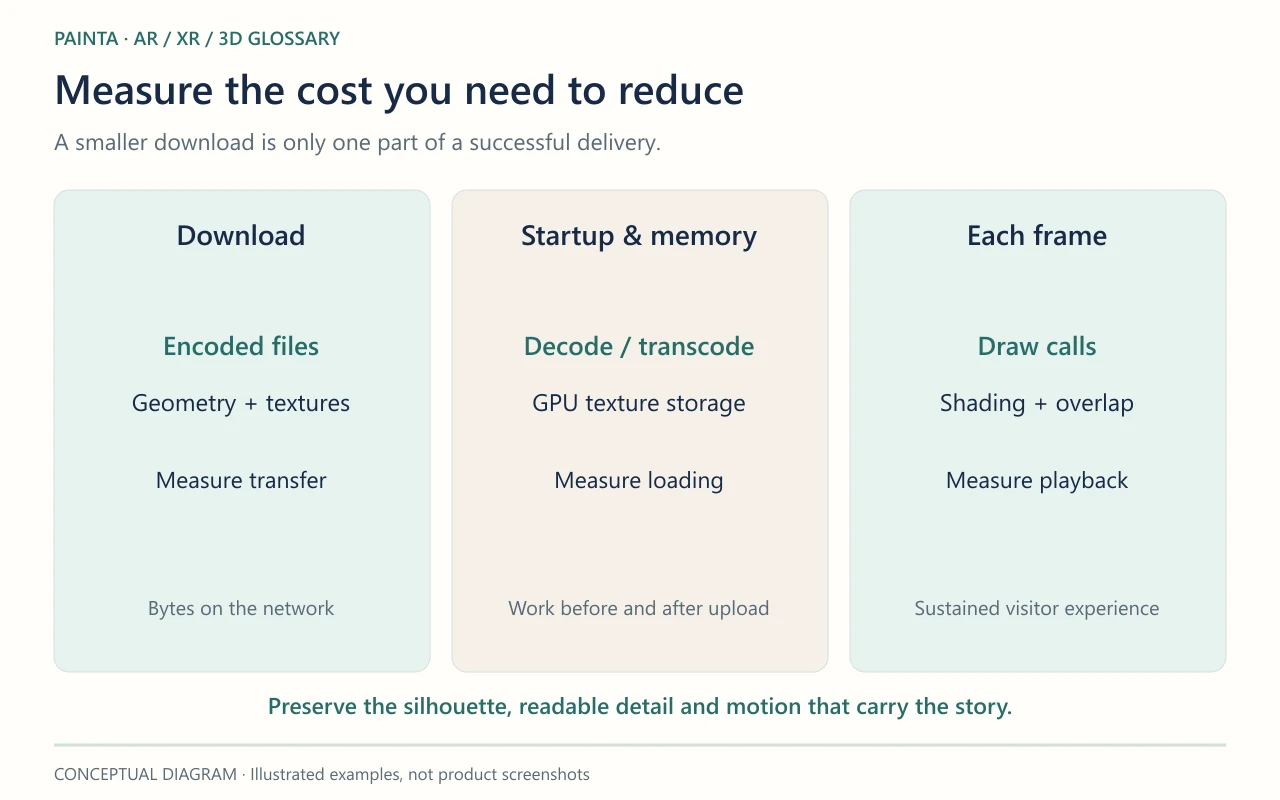
Preserve what carries the meaning
For a portrait bust, the silhouette, face and inscription may deserve more detail than the unseen underside. Reduce unnecessary geometry, remove unused data and choose texture dimensions for the intended view. Compression changes how data is stored; simplification changes the mesh itself. Neither step should be judged only by the number of megabytes saved.
Compare the visitor experience, not just the export report
Keep a source copy and a baseline export. On a representative phone, compare loading, sustained playback, transparent edges, close views and animation. A model that opens quickly but stutters during the narrated reveal is not yet a successful optimization. For a Painta artwork, test it alongside the actual audio and other layers. Record the settings and visible trade-offs so a later revision can improve the asset without repeating destructive reductions.
Related concepts
Sources and further reading
Real-Time Rendering explains the work repeated as the visitor moves, which is a different cost from downloading the asset once.