An unlit material displays its base colour without calculating a response to scene lighting.
Keeping the colour already in the image
A photographed sculpture may already contain highlights and shadows in its texture. Lighting it again can make those shadows unnaturally heavy. An unlit material preserves that captured shading instead of adding a new response to lamps or environment lighting. It can also suit a painted cutout or a deliberately flat illustration.
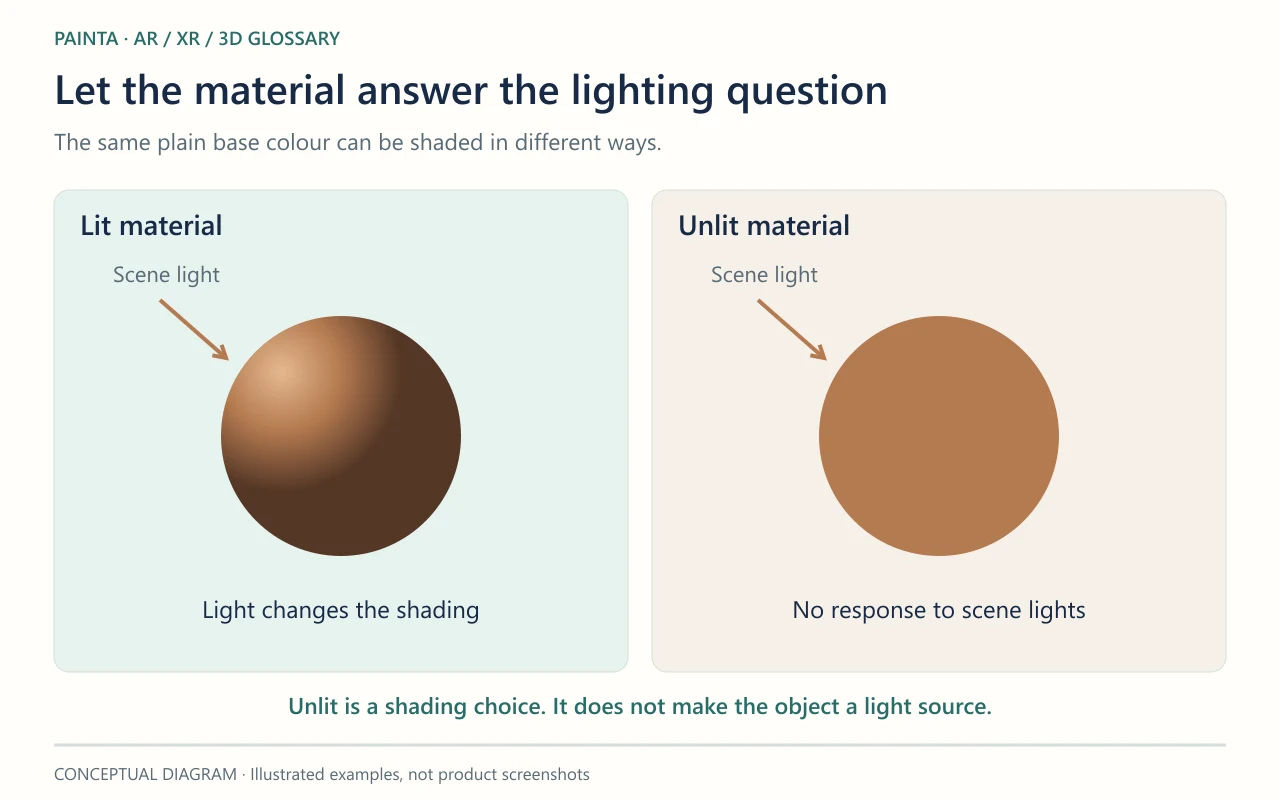
Unlit does not mean glowing or always in front
The object still has geometry, position and visibility rules. It can be hidden by another object, and transparency still needs the appropriate settings. Unlit does not make the surface a lamp that illuminates its neighbours. Colour management and display processing can also affect the final colour, so identical pixels across every screen are not guaranteed.
Choosing between a painted look and a relightable object
For a figure extracted from a painting, compare the unlit result with a PBR version under the intended viewer lighting. Preserve the painted light when that is part of the interpretation; use a lit material when the object should respond to a new scene. In glTF, KHR_materials_unlit identifies this shading choice. Check that the actual export and viewer honour it before approving the asset.