UV mapping assigns 2D texture coordinates to a 3D surface so the renderer knows which part of a texture belongs at each point.
A pattern for covering a shape
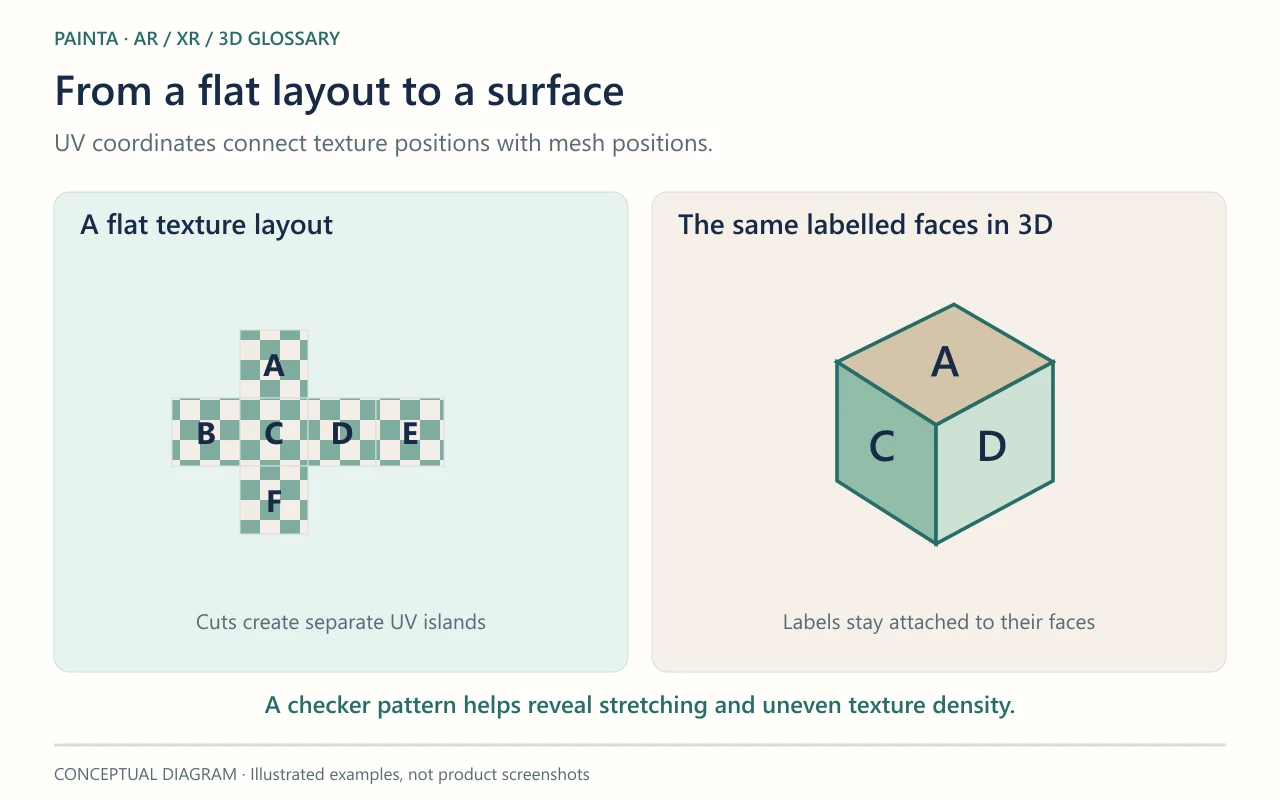
Imagine unfolding a paper box, drawing on the flat pattern and folding it back into a box. UV mapping provides a similar correspondence between a flat image and a surface. U and V name the two texture directions, avoiding confusion with the X, Y and Z coordinates of the geometry. The surface can be split into separate UV islands.
Seams and stretching need an artistic decision
A curved shape cannot always be flattened without cuts or distortion. Seams are the boundaries of those cuts. Their placement can make a visible join easy or hard to hide. Unequal texture density can make one area sharp and another blurry. Mirrored or overlapping UVs can save space, but they may repeat or reverse a design that should be unique.
A useful check before import
For a decorated object intended for Painta, use a checker pattern in the authoring tool to reveal stretched regions before applying the final artwork. Then inspect lettering, faces and distinctive marks after exporting the GLB. The diagram shows how different parts of a flat layout correspond to faces of a box; it is the mapping, not the material alone, that places the design.