Surface normals are directions associated with a surface that help the renderer determine how it should be shaded.
A direction sticking out of the surface
A flat face has a perpendicular direction. Renderers can also interpolate normals across vertices to make a faceted mesh appear smoothly shaded. That smooth appearance does not add geometry. The silhouette can still reveal the underlying polygon edges, especially around a curved object seen against a plain background.
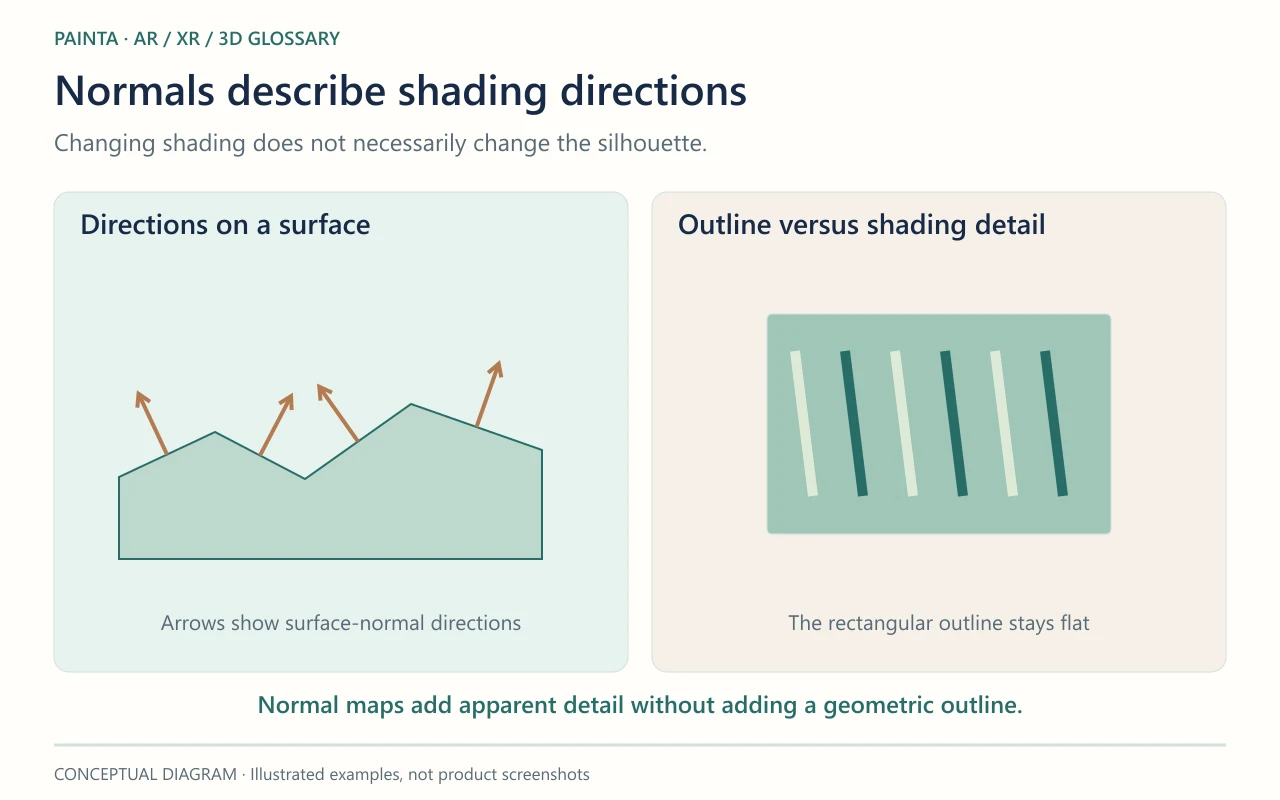
Normal maps change shading, not the outline
A normal map supplies small variations in shading direction, often giving the impression of grooves, grain or carved detail. It does not move the surface in the way displacement geometry would. Incorrect normals can cause dark patches, unexpected seams or inconsistent lighting. Face winding and backface culling are related rendering concerns, but they are not the same thing as the normal vectors themselves.
Reading a difficult import
If a model prepared for Painta looks dented or oddly lit, inspect its normals and normal-map convention before increasing the light intensity. Test a plain material to separate geometry and shading problems from texture problems. For a carved object, keep enough geometry to preserve the outline, using normal detail for features that do not need to change the silhouette.